Panasonic Smart Cities
Infrastructure Management Interface
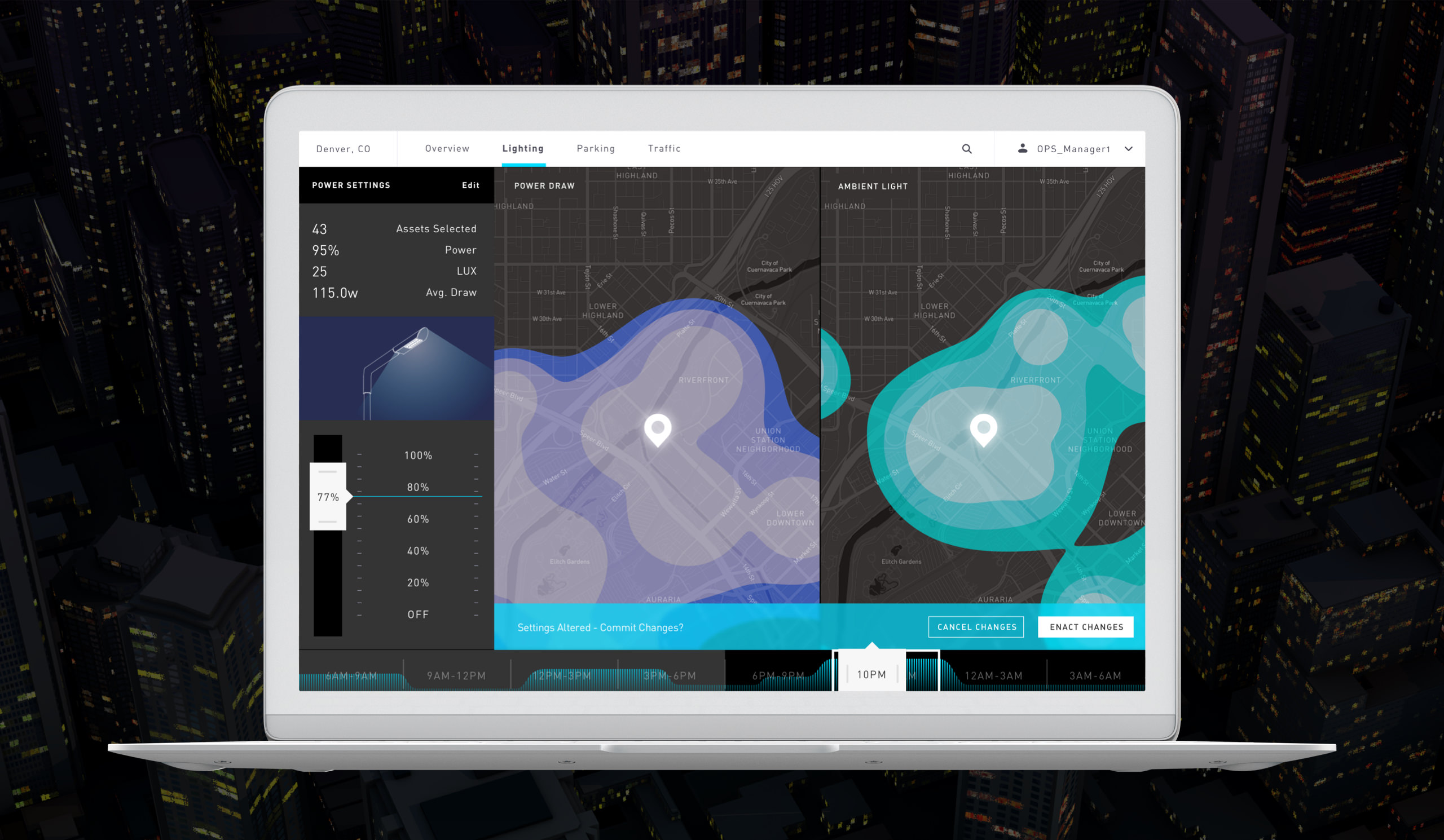
I art directed the interface for Denver's Panasonic Smart Cities lighting infrastructure—a dashboard for engineers to monitor and adjust the city's smart lighting system. The project required a week of deep research just to understand what we were building, since detailed specs from Panasonic were hard to come by. I designed data visualizations, heat maps, and infographics, and created motion prototypes to demonstrate interactions.
The Problem
Denver was implementing smart lighting infrastructure around a new rail station, and engineers needed a way to monitor power draw, ambient light, and population density across the system—and make adjustments in real-time. The challenge was designing an interface for complex, layered data while keeping it usable.
The Results
The interface improved operational efficiency by 30% and cut data interpretation time for engineers by 40%. The color palette—warm blacks and cool whites with subtle earth tones—nodded to Denver's architectural aesthetic while maintaining the contrast needed for utility. The 3D city views and heat maps pushed technical boundaries while keeping the data actionable.
Denver was working with Panasonic on smart infrastructure for parking, traffic, and lighting. The lighting system was the most complex—it required the deepest level of interaction for engineers to manage effectively.
Getting detailed specs was difficult—too many layers between the city, Panasonic, and our team. I filled the gaps using publicly available information about the rail station development, which was the focal point of the infrastructure upgrade.
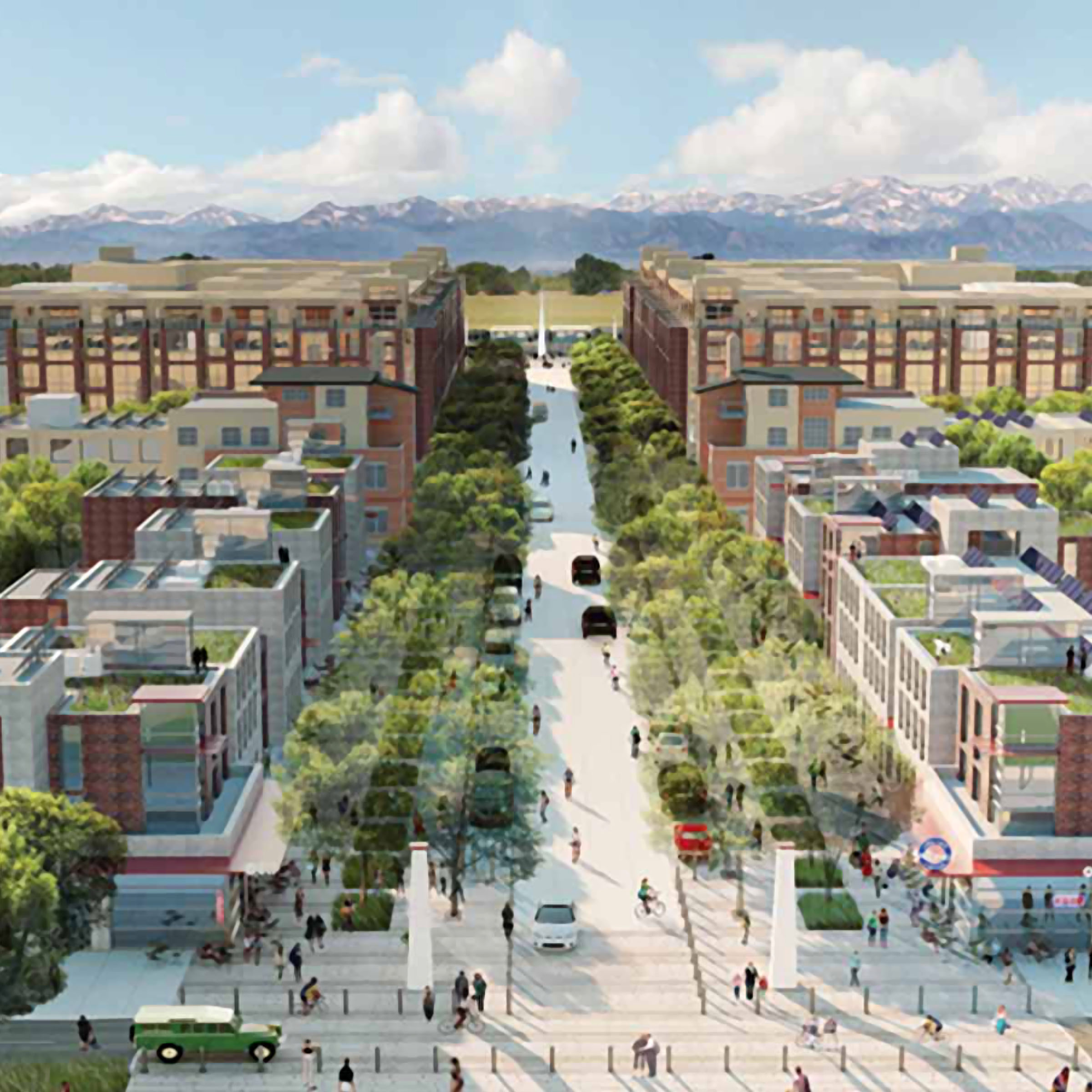
The infrastructure being implemented by Panasonic was focused on new urban development around a new electric rail station between Denver and its airport. RTD, Denver's 'Regional Transport District' agency, had extensive information about the new station and the surrounding development, complete with maps, architectural drawings, timeframes, and projections. This allowed me to get a sense of the extent and nature of the infrastructure our app needed to interface with. It also helped inform my design explorations.
As a Denver native, I had a good sense of the aesthetic tone the city of Denver seemed to resonate with. The designs for the new train station development were accented with stylistic affinities I recognized. Denver likes to think of itself as a new, up-and-coming city. Denver has embraced a 'Californicated', sustainability-green urban architectural progression clad in granite, sand stone, and other various rocky mountain mineral facades by way of raw slab, masonry, and ornamentation. The Californian bold colors and contrast are often subdued into transitional earth tones. Landscape architecture tends to enclose patches of wild prairie, horticulturally dramatized by preservationist fantasy but to charming effect. These new urban developments of the past decade are often accented with permanent sculptures of spires or peaks, echoing the prominent mountain range distinguishing Denver's western horizon.

I researched similar existing infrastructure apps and found one in particular around lighting that I used as a starting point for determining wireframes for the Panasonic app. I superimposed the data points of the existing app over the picture we had pieced together of the new train station development plans. I determined what data could be repurposed and came up with additional data points that might be useful for engineers maintaining the Panasonic infrastructure. After about a solid week of deep research, I finally had enough information to begin the design process.
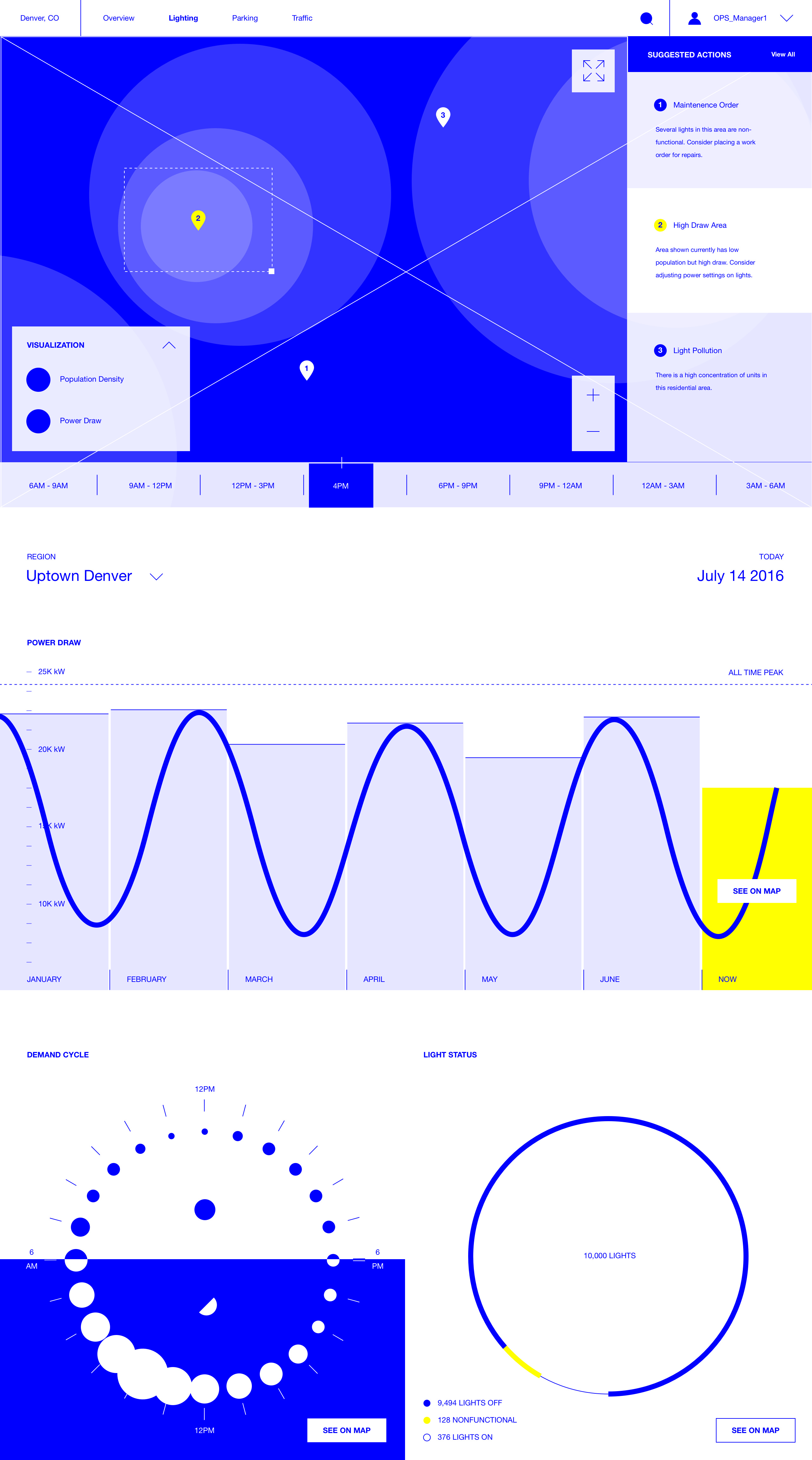
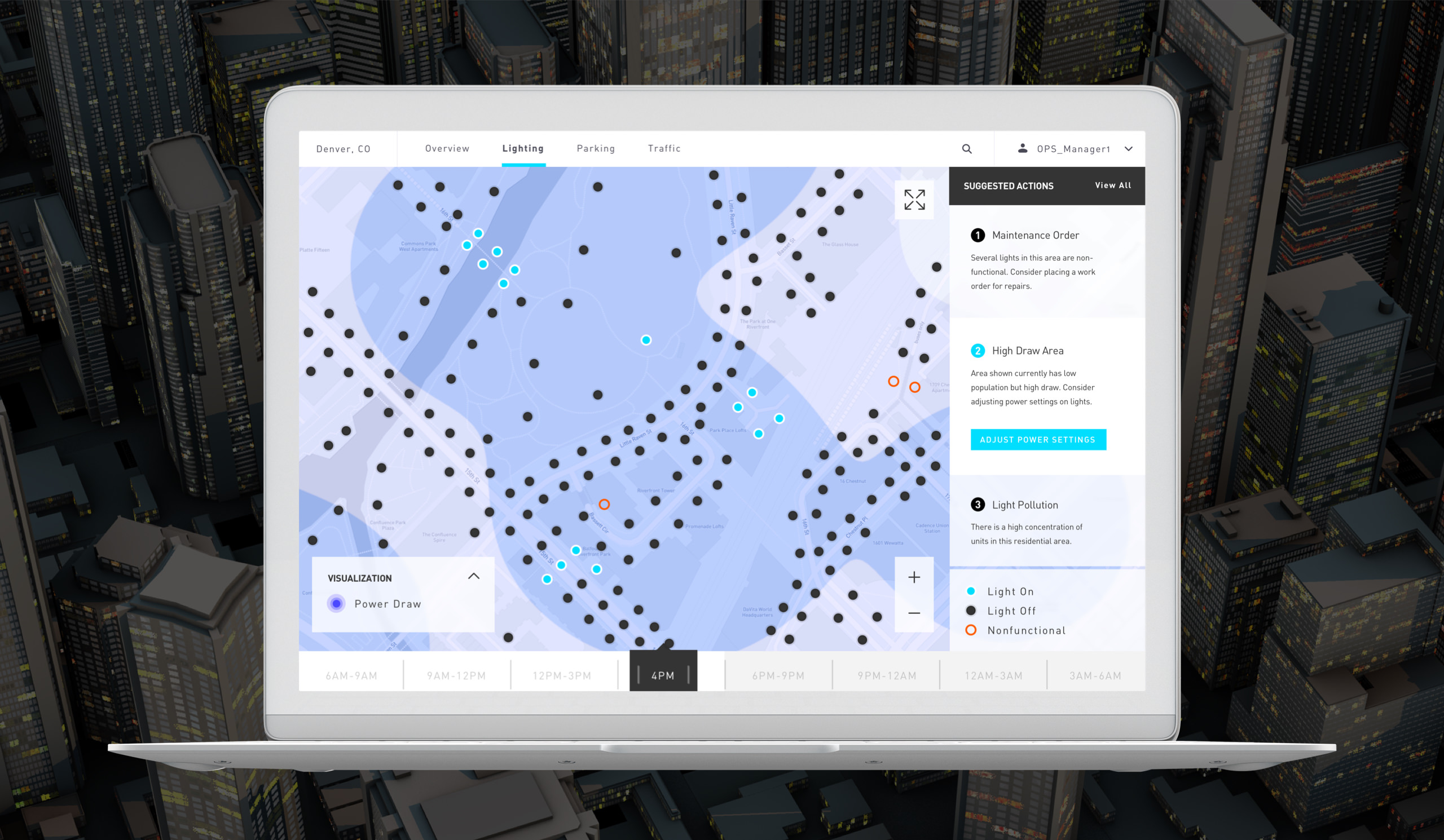
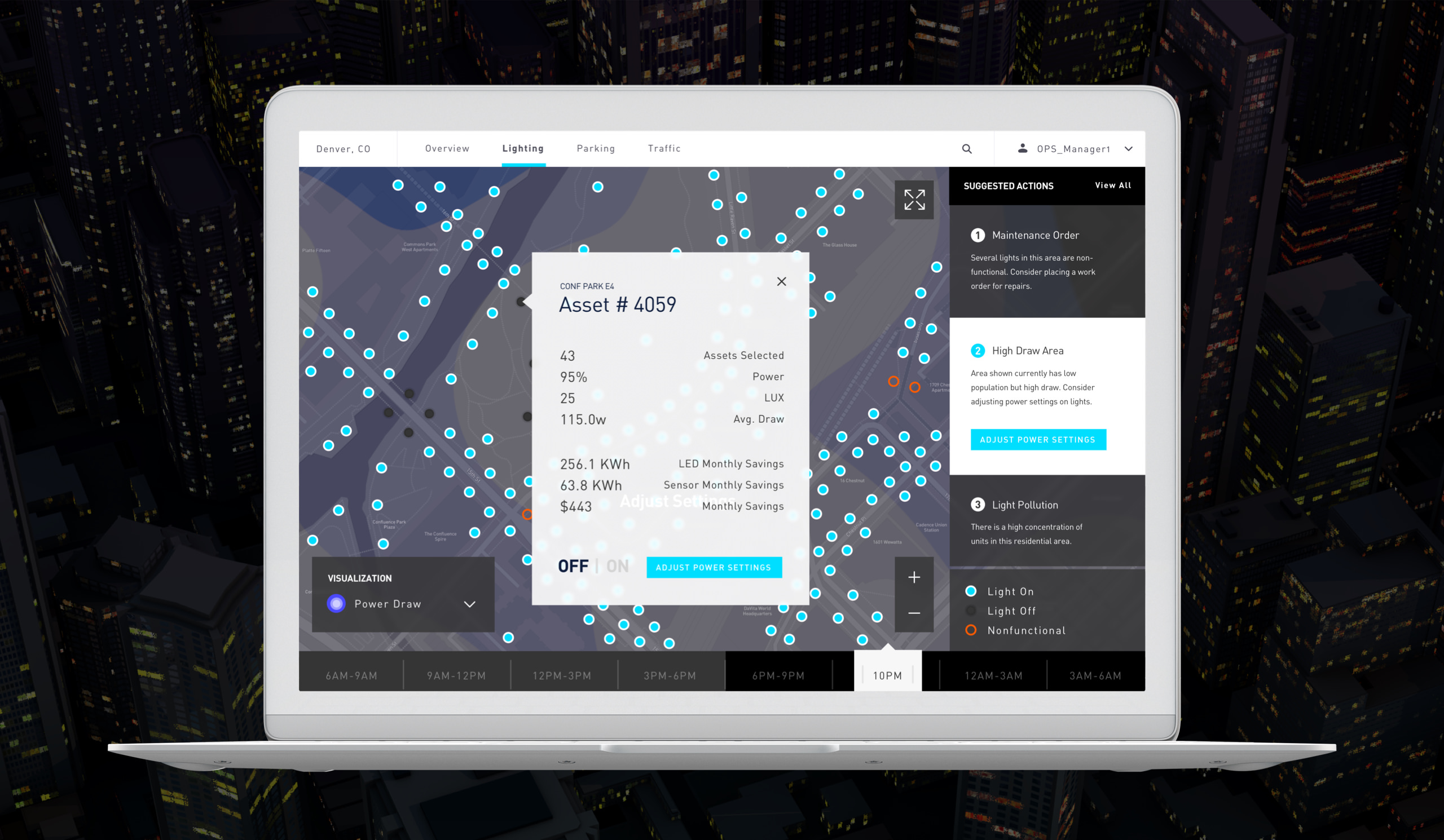
The initial design process involved creating mood boards of infographics and interfaces that matched the aesthetic tone of the new train station development plans, and appealed to the vision myself and the other members of the team had in mind for the app concept. I worked on wireframes and design concepts in near tandem within the short project scope. I had less than a month to produce the concept. In my designs, I completed or expanded upon the UX expressed in the wireframes.
Initial design explorations experimented with earth tones and textures. It started to become apparent however that the success of prominent earth tones in an architectural context was not as successful in a user interface. Readability requires more contrast. Especially in an app where utility was imperative. I settled on a color palette using more apparent blacks and whites infused with just a touch of warmth — a little bit of blue for the whites, and a little bit of red for the blacks. This improved usability while preserving the right aesthetic tone. I substituted textures for patterns by way of preserving details in map displays and incorporating patterns into infographics, redirecting organic noise into functionality bias.
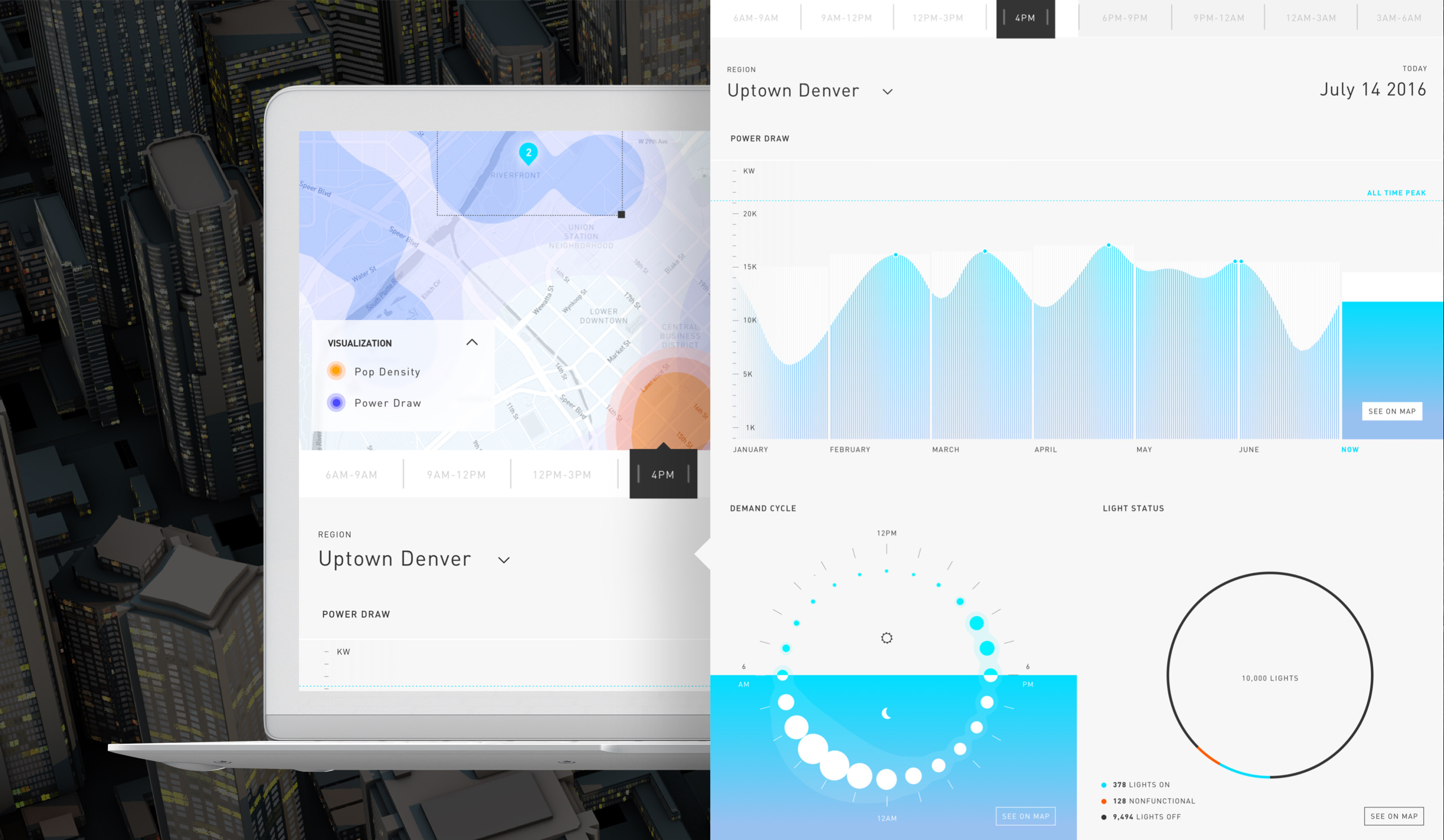
In the designs, I helped articulate a scenario where an engineer would be able to adjust the output on a single light, or group of lights in an area where there might be several layers of problem data, like power draw or light pollution. I helped to visualize how data like power draw, ambient light, and population density could be represented over a city map and how those data sets could intersect.
I also created infographics to represent demand cycles, and aggregate light asset status. The interface utilized 3D elements for the city view, heat maps, and infographics in order to push the boundaries on technical execution, anticipating the app would be developed using the latest technologies. The design featured dynamic changes in hue, shifting with the time of day to reinforce relevence of city data and inform if and how certain changes should be made to the system by the engineer. I also created motion prototypes and directed another visual designer on the team as they assisted me.